Logic Pro | Miami

Logic Pro Music Production Course

-

Welcome to a course in Logic Pro that’s designed with beginners in mind, but is also suitable for self-taught students, who want to augment their understanding within a small class situation. Learn to compose, record and to mix the music that you love.

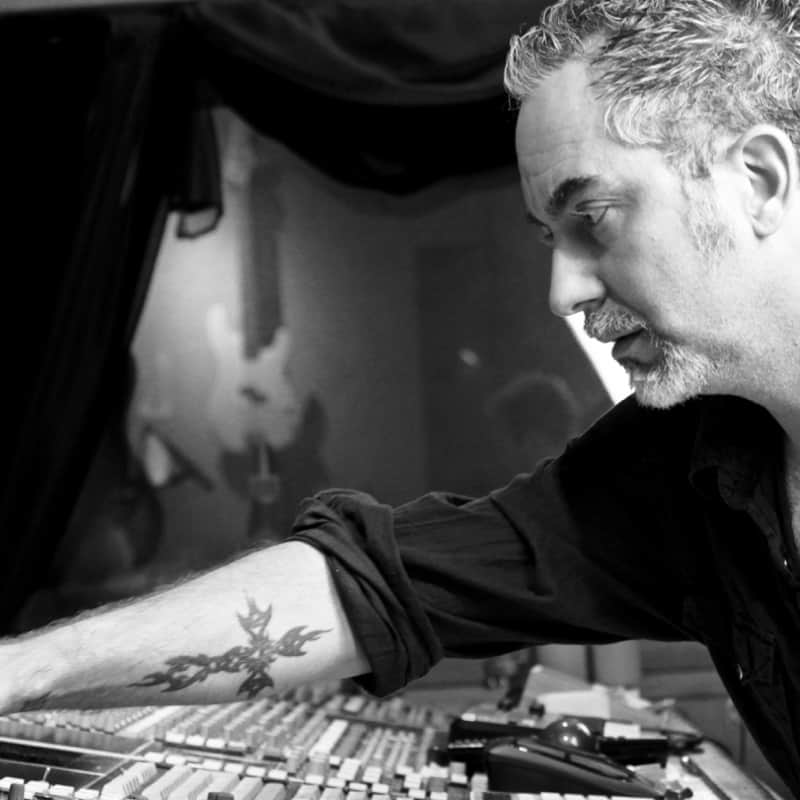
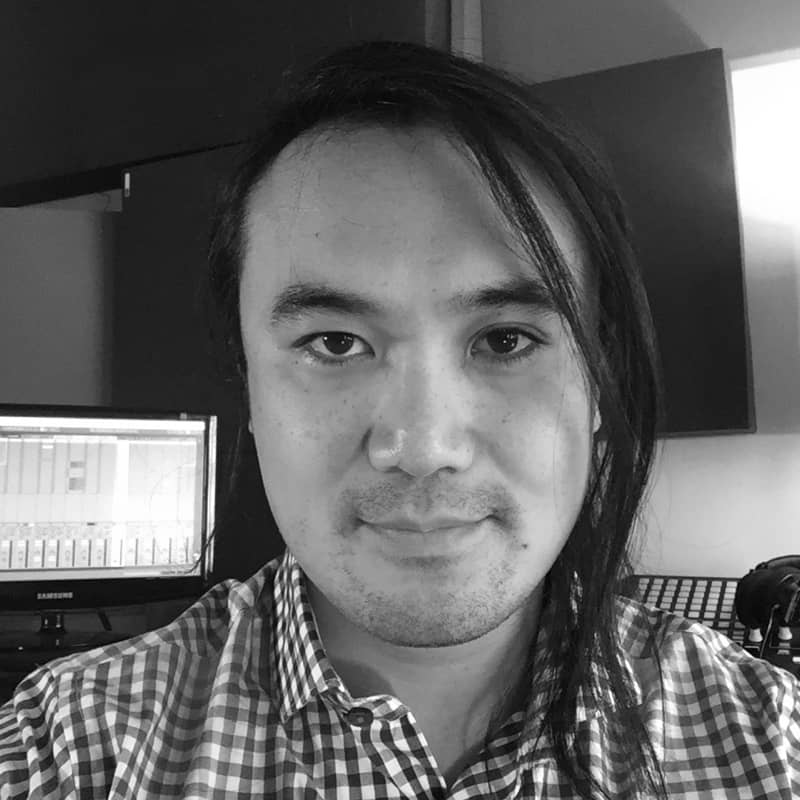
Our instructors in Miami are all professionals that have many successful years of making records under their belts – and they are all excited to show you how they’ve achieved this. As a participant, you’ll get 36 hours to question and interact with your instructors and fellow learners to share and extract inspiration, or to drill down to any problems or road-blocks to creativity that you’ve encountered. It’s a truly wonderful, inclusive environment to air problems and share successes. Best of all, it’s a music production course conducted in person, where you can be spontaneous, considered or measured – all to suit your style and pace. Learning Logic Pro should be fun and interactive, and we haven’t lost sight of that, because it’s the best way to learn.

If this sounds right for you, you can bring your own laptop along for the course, and get help customizing it to suit your own requirements. This means that every project you begin whilst on the course will look and respond the same at home as it does in class, helping to give you the confidence to create. It’s cheaper for you to do it this way, too - but if you’d like to hire one of our fully-loaded iMacs (including the most recent version of Logic Pro), simply ensure you book one (adding a supplement of $75) at the same time as you book your course. We’ll be happy to provide everyone with controller keyboards and headphones as standard.

The Basics

Setting up Logic and overview
Speeding up workflow and file management
Introducing the EXS 24 sampler and Ultrabeat
How to program MIDI and make some beats
All about quantize and groove
Apple loops dos and don’ts
Automation part 1

Instruments & FX

Logic’s instruments
Channel Strips dos and don’ts
Using Sculpture to craft organic sounds
Logic’s FX and MIDI FX
Using MIDI controllers
Vocoding
Automation part 2

Sampling

Where to get samples and the law
Mapping drums, tuning and manipulation
Chopping up loops in Logic X
Getting samples into time with your song
Filtering and manipulating samples
Automation part 3

Sound Engineering and Recording Techniques

Sound waves, frequency, and amplitude
The record path and gain structure
Foldback, headphone mixes, and latency
Microphone types, makes, and polar patterns – what to use and how to use for vocals and popular instruments
Compiling audio takes the official way and our way
Stereo recording techniques

Arranging In Logic & Advanced Midi

Tips on key command customization
Advanced MIDI editing and hyper editing
Arrangement tools, folders, and global tracks
Flex Pitch and Flex Time
Manipulating tempo, time stretching and using Flex Time

Music for Media

Logic’s mixer from top to bottom
Routing tips
Sync styles, trends and typical briefs
Tempo mapping/TC markers and TC basics
Arrangement tips for orchestra and theme building/stem creation

Testimonials

I wouldn't change a thing about this course. It was ten times better than I expected it to be. The instructor was incredibly informative and kept things fun. I've played with software for a couple of years and thought I got most of the basics down but I definitely was wrong. Great course! I would definitely recommend this course to anybody wanting to learn the production side of music. It was incredibly helpful and left me inspired to make tracks 24/7.

Kristina Bialkowski

I went from knowing pretty much nothing about Logic to knowing how to built loops, work with midi, mix, and actually be able to record the music I write and and arrange on the computer. I'm really excited because Logic Pro X has opened up a new world for me as a singer songwriter!

Dawn Red Sun

I am a lot better off than I was months ago blindly watching Youtube tutorials and not knowing what I was doing. The teacher was a great, very patient and understanding, with all skill levels in the room.

Abraham Perrotta

The small class size allowed the instructor time to give us individual attention/feedback. The teaching style was easily adjusted according to the levels in the class. As a very new producer, I never felt left behind. I never would have thought I could make this much progress in just 6 weeks!

Andie Arbogast

This class was great. I've been wanting to learn digital music production and was warned that Logic was one of the most complex and difficult to learn DAW. In only 6 days I think I've learned the program well enough to start producing my own tracks. Not only that but I've left the class with enough excitement to get busy and make some music with my new found knowledge.

Paul Vachier

It was very hands on. the teacher knew a vast amount about this topic and is very informative and clear. He has methods of utilizing teachings that enable us to relate to better understand in what circumstances these methods would be used for productions.

Raymond Casarez

This class was tough for me, as I'm a beginner (and am 48 with not a ton of technical or DAW experience). I wanted to immerse myself, so I could learn as much as possible, but much of the class was still a bit too advanced for me. Darren was fantastic, and I REALLY appreciated the offer to come back and stand in future classes. That makes me feel like I'll definitely get my moneys worth!

William 'John' Bragg

I came into the program with no idea how to work Logic, and after the intensive week, I worked out programming beats, using loops and samples…I feel like I can take my music to the next level now. Thanks :)

Christy Thompson

Great teacher who leaves no stone unturned! After Garnish, I feel that I have the tools to build a strong foundation and begin a career in the music industry.

Daniel Cobos

Logic Pro Music Production Course | Miami

Welcome to a course in Logic Pro that’s designed with beginners in mind, but is also suitable for self-taught students, who want to augment their understanding within a small class situation. Learn to compose, record and to mix the music that you love.

Our instructors in Miami are all professionals that have many successful years of making records under their belts – and they are all excited to show you how they’ve achieved this. As a participant, you’ll get 36 hours to question and interact with your instructors and fellow learners to share and extract inspiration, or to drill down to any problems or road-blocks to creativity that you’ve encountered. It’s a truly wonderful, inclusive environment to air problems and share successes. Best of all, it’s a music production course conducted in person, where you can be spontaneous, considered or measured – all to suit your style and pace. Learning Logic Pro should be fun and interactive, and we haven’t lost sight of that, because it’s the best way to learn.

If this sounds right for you, you can bring your own laptop along for the course, and get help customizing it to suit your own requirements. This means that every project you begin whilst on the course will look and respond the same at home as it does in class, helping to give you the confidence to create. It’s cheaper for you to do it this way, too - but if you’d like to hire one of our fully-loaded iMacs (including the most recent version of Logic Pro), simply ensure you book one (adding a supplement of $75) at the same time as you book your course. We’ll be happy to provide everyone with controller keyboards and headphones as standard.

101

The Basics

  • Setting up Logic and overview
  • Speeding up workflow and file management
  • Introducing the EXS 24 sampler and Ultrabeat
  • How to program MIDI and make some beats
  • All about quantize and groove
  • Apple loops dos and don'ts
  • Automation part 1

Instruments & FX

  • Logic's instruments
  • Channel Strips dos and don'ts
  • Using Sculpture to craft organic sounds
  • Logic's FX and MIDI FX
  • Using MIDI controllers
  • Vocoding
  • Automation part 2

Sampling

  • Where to get samples and the law
  • Mapping drums, tuning and manipulation
  • Chopping up loops in Logic X
  • Getting samples into time with your song
  • Filtering and manipulating samples
  • Automation part 3

201

Sound Engineering and Recording Techniques

  • Sound waves, frequency, and amplitude
  • The record path and gain structure
  • Foldback, headphone mixes, and latency
  • Microphone types, makes, and polar patterns – what to use and how to use for vocals and popular instruments
  • Compiling audio takes the official way and our way
  • Stereo recording techniques

Arranging In Logic & Advanced Midi

  • Tips on key command customization
  • Advanced MIDI editing and hyper editing
  • Arrangement tools, folders, and global tracks
  • Flex Pitch and Flex Time
  • Manipulating tempo, time stretching and using Flex Time

Music for Media

  • Logic's mixer from top to bottom
  • Routing tips
  • Sync styles, trends and typical briefs
  • Tempo mapping/TC markers and TC basics
  • Arrangement tips for orchestra and theme building/stem creation

Our Instructors!

Testimonials

I wouldn't change a thing about this course. It was ten times better than I expected it to be. The instructor was incredibly informative and kept things fun. I've played with software for a couple of years and thought I got most of the basics down but I definitely was wrong. Great course! I would definitely recommend this course to anybody wanting to learn the production side of music. It was incredibly helpful and left me inspired to make tracks 24/7.

Kristina Bialkowski

I went from knowing pretty much nothing about Logic to knowing how to built loops, work with midi, mix, and actually be able to record the music I write and and arrange on the computer. I'm really excited because Logic Pro X has opened up a new world for me as a singer songwriter!

Dawn Red Sun

I am a lot better off than I was months ago blindly watching Youtube tutorials and not knowing what I was doing. The teacher was a great, very patient and understanding, with all skill levels in the room.

Abraham Perrotta

The small class size allowed the instructor time to give us individual attention/feedback. The teaching style was easily adjusted according to the levels in the class. As a very new producer, I never felt left behind. I never would have thought I could make this much progress in just 6 weeks!

Andie Arbogast

This class was great. I've been wanting to learn digital music production and was warned that Logic was one of the most complex and difficult to learn DAW. In only 6 days I think I've learned the program well enough to start producing my own tracks. Not only that but I've left the class with enough excitement to get busy and make some music with my new found knowledge.

Paul Vachier

It was very hands on. the teacher knew a vast amount about this topic and is very informative and clear. He has methods of utilizing teachings that enable us to relate to better understand in what circumstances these methods would be used for productions.

Raymond Casarez

This class was tough for me, as I'm a beginner (and am 48 with not a ton of technical or DAW experience). I wanted to immerse myself, so I could learn as much as possible, but much of the class was still a bit too advanced for me. Darren was fantastic, and I REALLY appreciated the offer to come back and stand in future classes. That makes me feel like I'll definitely get my moneys worth!

William 'John' Bragg

I came into the program with no idea how to work Logic, and after the intensive week, I worked out programming beats, using loops and samples…I feel like I can take my music to the next level now. Thanks :)

Christy Thompson

Great teacher who leaves no stone unturned! After Garnish, I feel that I have the tools to build a strong foundation and begin a career in the music industry.

Daniel Cobos

From the Blog

  • 360-Degree Video Footage Of A Class

    Samsung asked us if we'd like to borrow one of their prototype 360-degree cameras. We said yes and it didn't take us long to decide what to do with it! It's sphere-shaped device with a front and back lens.

  • 4 Core Principles of Music Production for Beginners

    Music is a powerful medium of communication. As Shakespeare himself asserted “When words fail, music speaks”. Technically speaking, the music or the songs that we hear comprise of two basic parts: the instruments (guitar, violin, piano, drums etc) and the vocals which are collectively known as ‘Trac

  • 5 Mixing Mistakes to Avoid

    by Katie Gilchrest When it comes to mixing, establishing a balance is one of the most important parts of creating a professional sounding production. Some of the same miscalculations are made again and again, and fortunately there are ways to recognize, avoid and fix them. Here are five common mixin

  • Audio Interfaces

    Audio Interfaces An audio interface is a piece of hardware that connects musical instruments, microphones, and other sound sources to a computer. The audio interface acts as a bridge between the analog audio signals from the instruments and the digital signals that the computer can understand and pr

  • Creative Uses for Melodyne

    Celemony's Melodyne is a highly sophisticated pitch analysis and correction software suite known mainly for its use in tuning vocals. As effective as it is in this capacity, Melodyne's capabilities allow for a range of other creative uses outside of simply correcting mistakes in performance. In this

  • DIY Home Recording Studio Tips

    As early as 2010, if you wanted to put together an album you were pretty much forced to shell out cash to a local recording studio. Or, even worse, you pretty much needed a record deal with a label of some sort.

  • Drum Miking Techniques

    Drum Miking Techniques: Recorder Man and Glyn Johns Katie Gilchrest's take on drum miking techniques Many considered the drum set one of the hardest pieces of equipment to mic in a studio. A drum kit is not one instrument, but a collection of multiple instruments, featuring a wide variety of differe

  • How To Improve Bass In Music

    How To Improve Bass In Music Bass can be a very complicated part of your mix. Actually, we’d even go and say that the majority of home-producers or home-recorded work, don’t have a good low-end, which is really the basis (get it, bass-is?) for any mix. In this article, we look at how to improve bass

  • How To Save CPU in Logic Part 1

    This is Eddie Grey with Garnish Music Production. Modern music productions today is inextricably linked with a basic technical understanding of the Computer. You have to be able to troubleshoot any issues that come up and you have to be able to manage your Computers resources in a timely manner (especially if you are doing this professionally). My aim in this article is to help you manage your CPU effectively.

  • How to Compress Drums

    The sound of modern drums in rock, pop, and electronic music very rarely embodies the natural range that acoustic drums are capable of. This is most often due to the application of compression, adding punchiness, energy and consistency to a drum track.

  • How to EQ Vocals

    How to EQ Vocals Katie Gilchrest's guidelines on how to EQ vocals. For most styles of music, vocals are one of the most important parts of the mix. Poorly EQd vocals can cause detriment and distraction to an otherwise great song. Equalization using a parametric EQ is a tool that can allow vocals to

  • How to Record Vocals When Producing A Singer - Vocal Production

    How to Record Vocals When Producing A Singer - Vocal Production By Chris Porter Firstly, let’s explode the myth that vocals are anything other than another instrument, or colour (depending on how you like to view things!) that you use to build up a musical picture. Yes, they convey language as well

  • How to Use The Catch Function In Logic Pro

    Hey There! This is Eddie Grey with Garnish Music Production. As some of you may know, I am ALL ABOUT WORKFLOW. If there is a faster more efficient way of doing something, I want to know how to use it. This next feature is a Producer/Composer’s dream. It is called the Catch Function and it looks like this.

  • L5_Working with Tracks

    Create tracks in a project You add tracks to a project to hold your recordings, loops, and other material. When you add a track, you can choose the track type, format, input source (for audio tracks), and output, and create multiple tracks. The options in the New Tracks dialog vary, depending on the

  • Logic Pro - 5 Things You Can Do To Save CPU (Part II)

    This is Eddie Grey with Garnish Music Production. We have more to cover with saving CPU. Let’s jump right in.

  • Logic Pro - Naming Tracks & Coloring Them

    We can all agree that MUSIC and how it sounds & makes us feel is the most important thing that we do as Producers/Composers/Beatmakers, etc. Now, when you think of the phrase “Music Production”, you can’t really help but think about the second word “PRODUCTION”, which is derived from the latin word “producere” (which means to bring forth). With regards to “Music Production”, we are really referring to the overall sound of a musical recording but we are also referring to how it is actually created and formulated.

  • Logic Pro - Play, Record, Repeat

    Eddie Grey here with Garnish Music Production. Learn to use the transport functions in Logic in order to experience mastery with this DAW. Here are few tips to chew on...Experiment with them and see how they fit into your workflow.

  • Logic Pro - Workflow Tips (Part I)

    Music Production in many ways is directly related to WORKFLOW. It is like Heads and Tails. They are 2 sides of the same coin. I have spent many years reading many books and taking classes to refine my workflow. Let me share with you some of my findings.

  • Logic Pro Workflow Tips (Part I)

    Music Production in many ways is directly related to WORKFLOW. It is like Heads and Tails. They are 2 sides of the same coin. I have spent many years reading many books and taking classes to refine my workflow. Let me share with you some of my findings. Delete Multiple Plug-Ins Simultaneously I wish

  • Logic Pro Workflow Tips (Part II)

    This is Eddie Grey with Garnish Music Production. We have more to cover in regards to Workflow Tips. I have lots to share. Let’s jump right in.

  • Logic Pro – 5 Things You Can Do To Save CPU (Part II)

    This is Eddie Grey with Garnish Music Production. We have more to cover with saving CPU. Let’s jump right in.

  • Logic Pro – Naming Tracks & Coloring Them

    We can all agree that MUSIC and how it sounds & makes us feel is the most important thing that we do as Producers/Composers/Beatmakers, etc. Now, when you think of the phrase “Music Production”, you can’t really help but think about the second word “PRODUCTION”, which is derived from the latin word “producere” (which means to bring forth). With regards to “Music Production”, we are really referring to the overall sound of a musical recording but we are also referring to how it is actually created and formulated.

  • Logic Pro – Play, Record, Repeat

    Eddie Grey here with Garnish Music Production. Learn to use the transport functions in Logic in order to experience mastery with this DAW. Here are few tips to chew on...Experiment with them and see how they fit into your workflow.

  • Microphone Polar Patterns for Beginners

    by Katie Gilchrest Understanding how microphones “hear” is the first step in learning how to mic instruments properly. The directionality of a microphone is commonly explained as a polar pattern, and microphone use in the studio, as well as live settings vary based on each one. Understanding microph

  • Music Video Ideas for Artists — That Aren’t Music Videos

    Did you know that YouTube traffic makes up nearly a ⅕ of ALL internet traffic? Similarly, quite a bit of that is music consumption. It’s also common for labels to upload an audio tracks as video for YouTube,

  • Open/Close Instrument Plug-In Window of Focused Track

    While everyone is elated about the new addition in SMART TEMPO in Logic X, I am secretly celebrating another hidden feature in 10.4. It is called “Open/Close Instrument Plug-In Window of Focused Track”. Logic users have been asking for this particular feature for years and now it is here. Let me show and tell you what this does.

  • Quantizing Multi-Track Drums in Logic Pro

    This installment is about quantizing not only multiple drum tracks at the same time, but really it is about quantizing multiple AUDIO tracks. Why do you need to do this? Should you need to apply FLEX TIME to quantize multiple audio tracks then the method covered in this video is the fastest way to get there.

  • Recording While Traveling

    A harmonious combination; new places, new people, new ideas and new sounds in different lands that present their own rhythms and culture can stir up something good in a natural and genuine way when recording while traveling. The perfect time to try new things, tune your ear, hone your craft, become

  • Region Inspector Float in Logic Pro

    This is Eddie Grey with Garnish Music Production. I am here to talk about the often under-utilized “Region Inspector”. The Inspector allows you to allows you to display valuable information and edit parameter values of a selected/ highlighted region (such as Gain and Transpose).

  • Simple Tips to Get Your Mixing Off to A Quick Start

    You’ve completed your recordings and now it’s time to put them all together. If you ask any experienced mixing engineer, they will tell you that they have a system they use every time they want to mix a project.

  • Skills Every Musician Should Know

    Whether you’re a budding producer, DJ or a brand new indie artist -- most of the time the focus is purely on the music, and that’s about it. However, soon enough, you’ll realize that there’s much more involved in just putting on music.

  • Sound Design with Macro Variations in Live 11

    [vc_row][vc_column][vc_column_text] By Heinrich Zwahlen The ability to store the state of Macro Controls as preset variations in Racks has drastically increased the functionality of these already powerful compositional tools that have been a centerpiece for sound design and composition in Ableton Li

  • Understanding Reverb

    Reverb is one of the most widely used time based effects in audio, and one of the most fascinating. Depending on how you use it, it can help or hinder your mix. Luckily, many parameters on reverb plugins are the same or similar, and can be explained across platforms. Understanding reverb is importan

  • What Are MIDI Interfaces?

    All about MIDI The MIDI (Musical Instrument Digital Interface) standard has had a profound impact on the music industry since its introduction in the early 1980s. MIDI allows electronic musical instruments, computers, and other digital equipment to communicate with each other, allowing for the creat

  • What does a music producer do?

    by Chris Porter It would be easy to write an entire article arguing about exactly what this question means, but the simplest answer (and the truth of the matter) lies behind the scenes - of whatever parameters the interested parties have agreed to. Allow me to explain… In today’s world of music crea

Frequently Asked Questions


Do I need to already know how to use Logic Pro?

No - the course is designed with beginners in mind, but self-taught producers looking to formalize their skills do well in it too.


What can I actually produce by the end?

You'll learn to compose, record and mix your own music using the full toolkit Logic Pro offers.


Should I bring my own laptop?

If you can, yes - we'll help you customize it, and your project will look and behave the same at home as it did in class. It's cheaper this way too.


What if I don't have a laptop?

You can hire one of our fully-loaded iMacs with the latest version of Logic Pro for a $75 supplement - just book it alongside your course.


Is equipment provided either way?

Yes - controller keyboards and headphones come as standard for every student.


How long is the course?

36 hours.